> For the complete documentation index, see [llms.txt](https://postman-v1.guides.gov.sg/llms.txt). Markdown versions of documentation pages are available by appending `.md` to page URLs; this page is available as [Markdown](https://postman-v1.guides.gov.sg/~/changes/pv1f3DWM1ORa7R0uNLij/api-guide/api-key-management/generate-your-api-key.md). Agents can also search and read this documentation through its [MCP server](https://postman-v1.guides.gov.sg/~gitbook/mcp).
# Generate your API Key
## Log into Postman
Before you start using our API, you have to generate an API key. All users must log into our web application at `postman.gov.sg` to generate this API key. This API key can be used to make API calls and serve to authenticate you to our system.
**Bearer authentication** (also called **token authentication**) is an HTTP **authentication** scheme that involves security **tokens** called **bearer tokens**. Postman uses bearer authentication.
{% hint style="danger" %}
**Keep this API key secret.** Unauthorised disclosure of this API key will allow others to impersonate you when calling our system.
{% endhint %}
## Generate your API Key
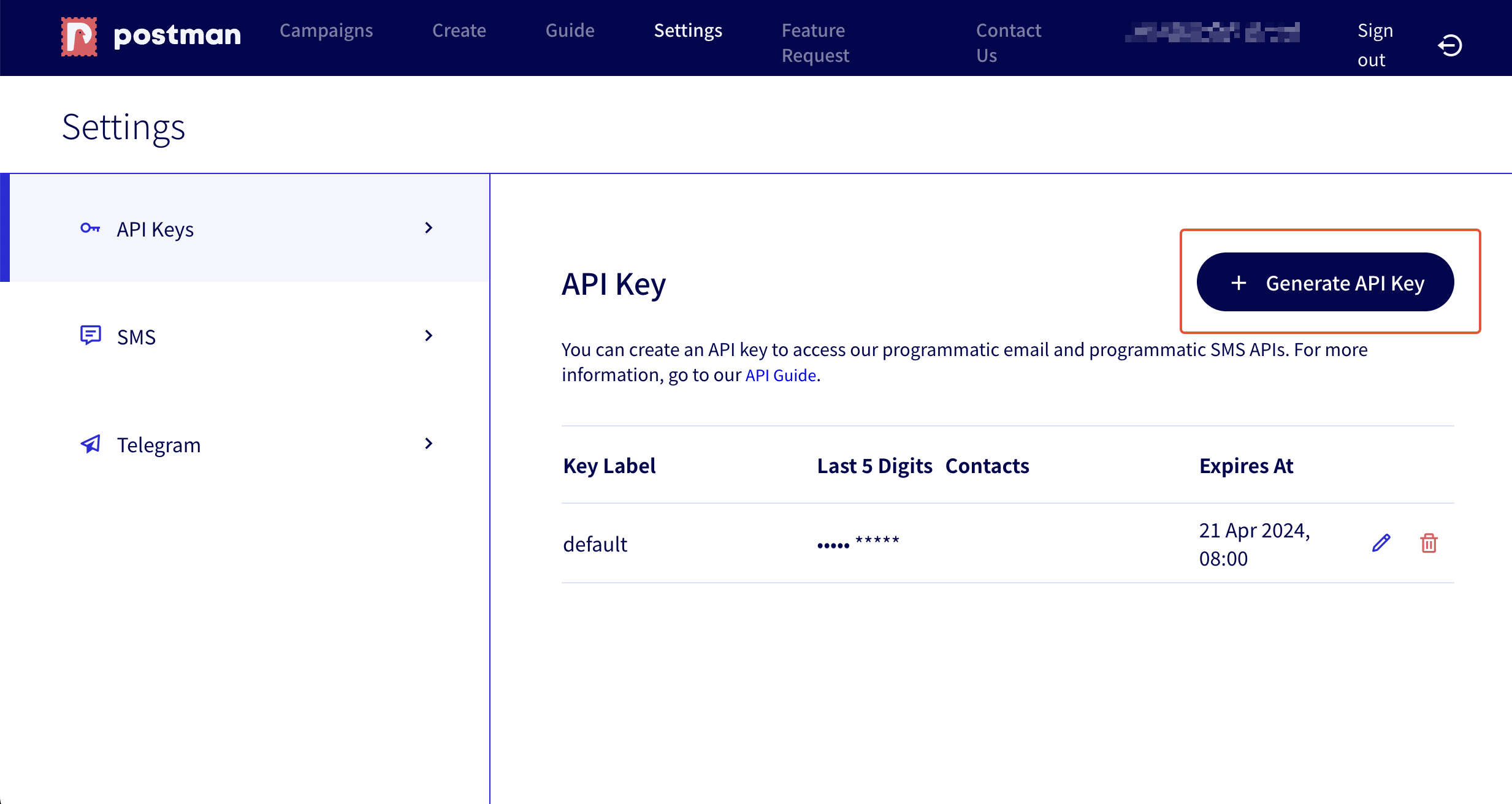
To generate this token, navigate to `Settings` and click on `Generate API Key`.
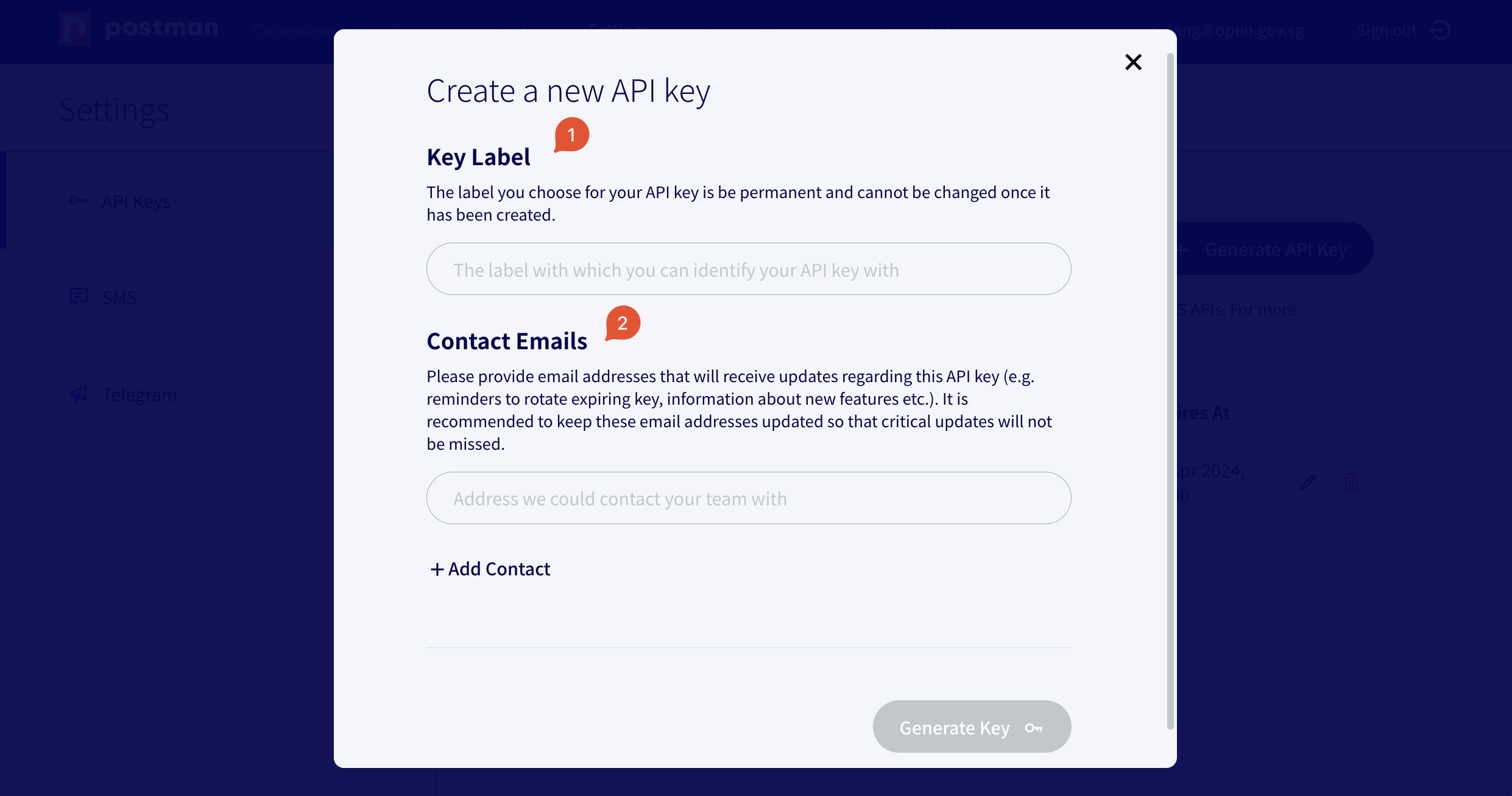
1. We support multiple API keys per account. To distinguish among multiple API keys, choose a label for your API key. This label is permanent and cannot be changed. You can associate each label to the corresponding API key based on the last 5 digits of the API key shown on Postman's `Settings` page (see below).
2. Enter contact emails that will receive updates regarding this API key. We are aware that our API users often create accounts on Postman using email addresses that are not meant to receive incoming emails. As such, it is important to enter email addresses whose inboxes are checked regularly. You can return to this user interface to update this list of contact emails.
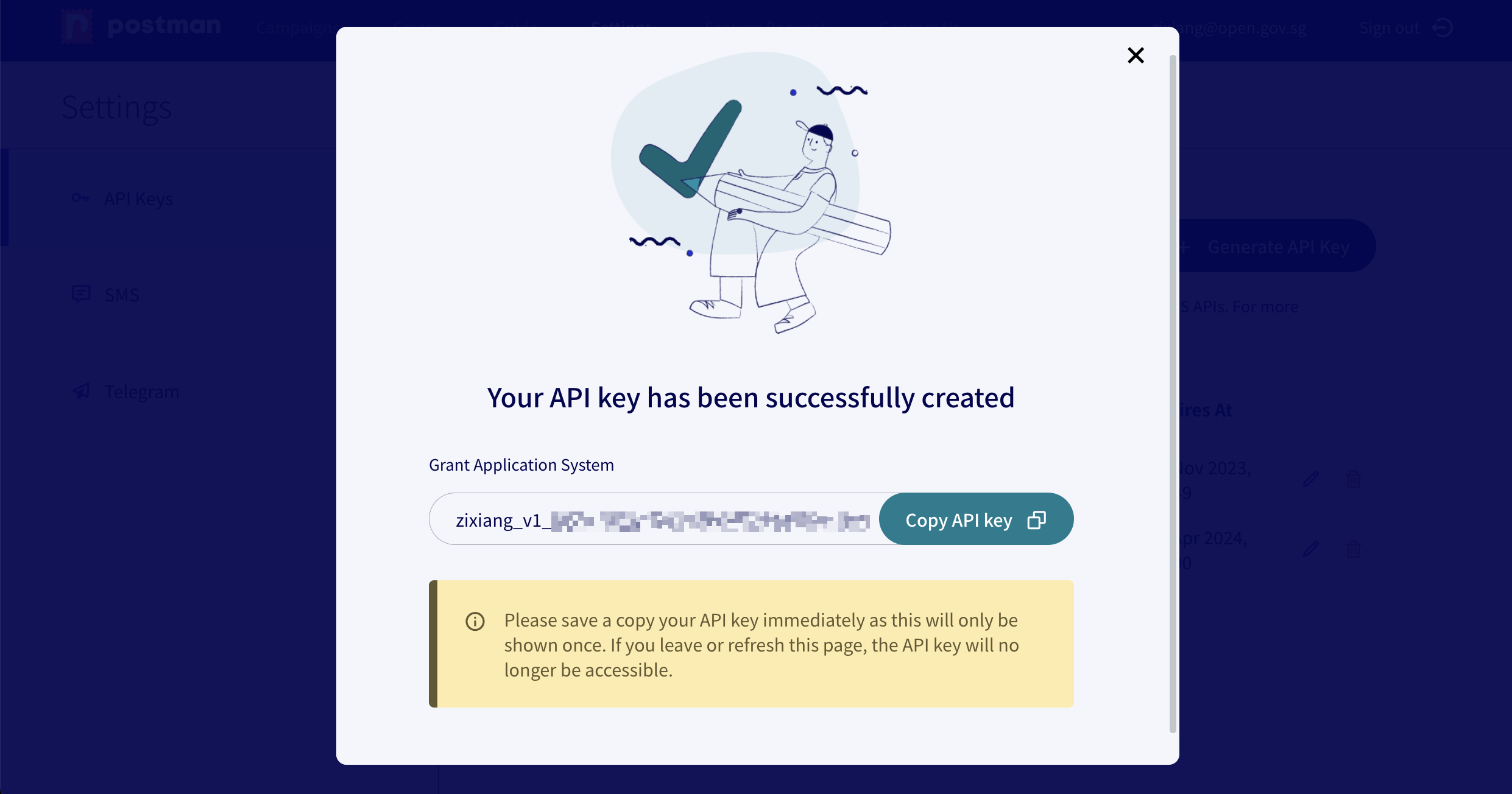
After clicking `Generate Key`, your API key will be successfully created. Your API key will be of the format `username_v1_xxxxx`. Copy the newly created API key and store it securely. We only store the last 5 digits of your API key. If you lose this API key, we will not be able to recover the API key and you will have to generate a new one.
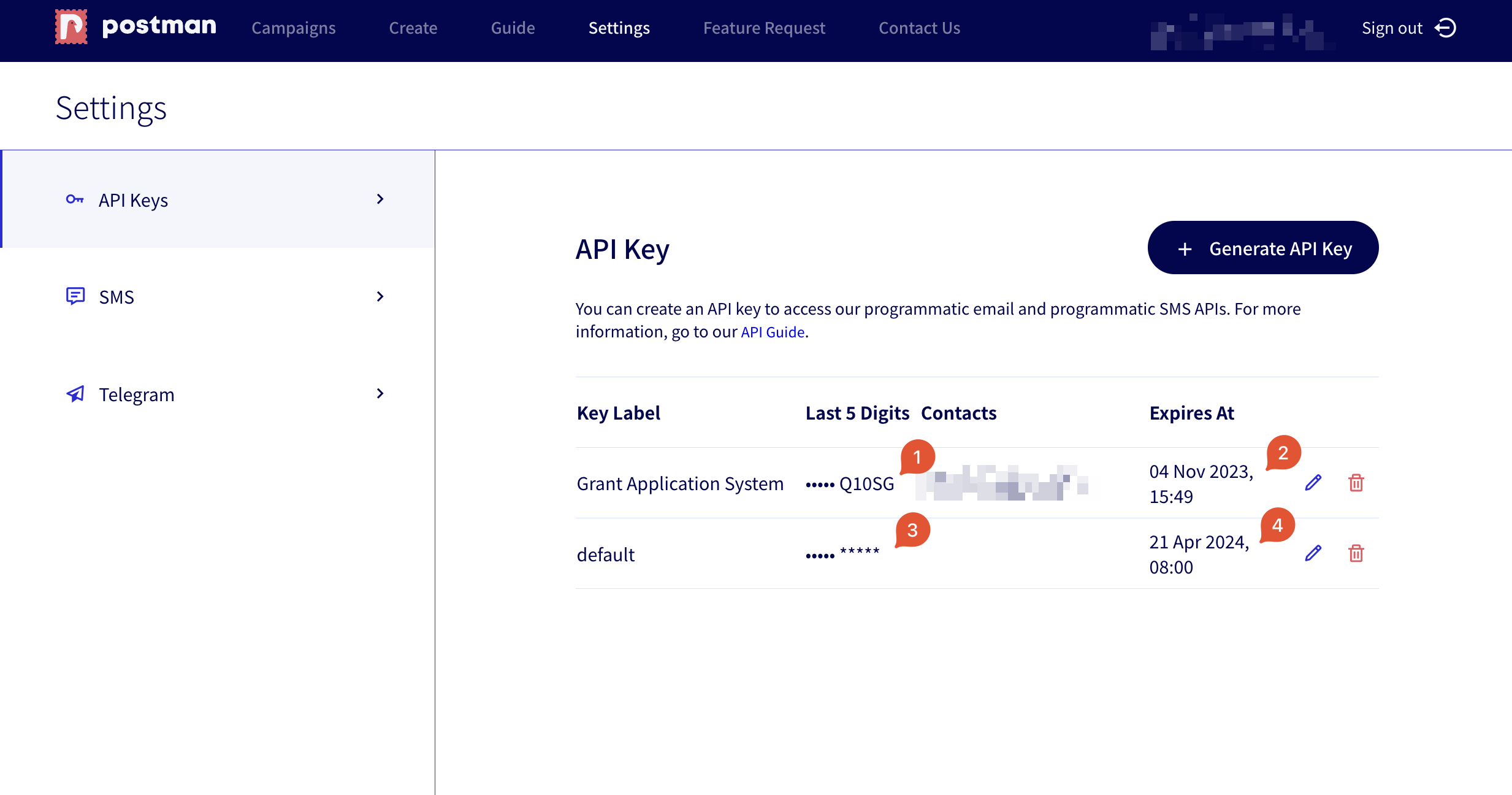
1. As mentioned previously, you can associate each label to the corresponding API key based on the last 5 digits of the API key shown on Postman's `Settings` page.
2. Newly created API keys **will be valid for 6 months from the time of creation**.
3. For API keys that had been created prior to our multiple API key feature, the key label will shown as `default` and the last 5 digits are `*****`.
4. API keys that had been created prior to our multiple API key feature will expire on **21 April 2024, 08:00 GMT+8**.
{% hint style="info" %}
To keep your system secure, Postman's API keys automatically expire and you should rotate your Postman API key on a regular basis. We will send reminders to your the contact emails provided above when prior to expiry. For more information, [click here](https://postman-v1.guides.gov.sg/~/changes/pv1f3DWM1ORa7R0uNLij/api-guide/api-key-management/rotate-your-api-key.md).
{% endhint %}
---
# Agent Instructions
This documentation is published with GitBook. GitBook is the documentation platform designed so that both humans and AI agents can read, navigate, and reason over technical content effectively. Learn more at gitbook.com.
## Querying This Documentation
If you need additional information that is not directly available in this page, you can query the documentation by asking a question.
Perform an HTTP GET request on the following URL with the `ask` and `goal` query parameters:
```
GET https://postman-v1.guides.gov.sg/~/changes/pv1f3DWM1ORa7R0uNLij/api-guide/api-key-management/generate-your-api-key.md?ask=&goal=
```
`ask` is the immediate question: it should be specific, self-contained, and written in natural language.
`goal` is what the user is ultimately trying to achieve, the reason they need the answer. Sharing it helps GitBook give you a better, more relevant answer. A goal is most helpful when it describes the outcome the user wants rather than restating the question. For example, with `ask=how do I create an API token`, a goal like `automate deployments from our CI pipeline` lets GitBook tailor the answer to that use case.
The response will contain a direct answer to the question and relevant excerpts and sources from the documentation.
Use this mechanism when the answer is not explicitly present in the current page, you need clarification or additional context, or you want to retrieve related documentation sections.