# Scheduled Sending

*\*This feature is also available for SMS.*

### How do I schedule my campaign?

You can schedule your campaign in step 4 of the campaign creation page by clicking `Schedule for later.`

<figure><img src="https://4126954886-files.gitbook.io/~/files/v0/b/gitbook-x-prod.appspot.com/o/spaces%2F-MAQH3DF49Lq0AJudrbF%2Fuploads%2Fi4dRDoRAAaJQ8cZs6Fz4%2Fschedule-for-later-button.png?alt=media&#x26;token=70bba986-8165-4d60-9be8-efd98fec8cac" alt=""><figcaption></figcaption></figure>

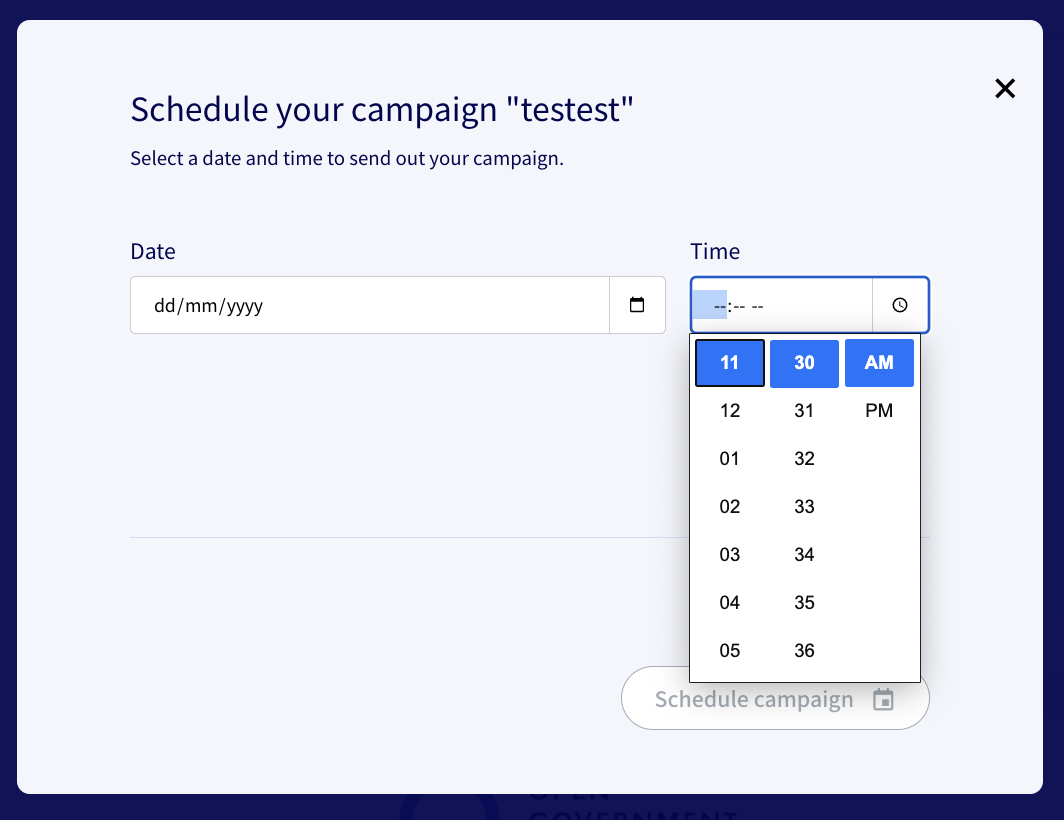
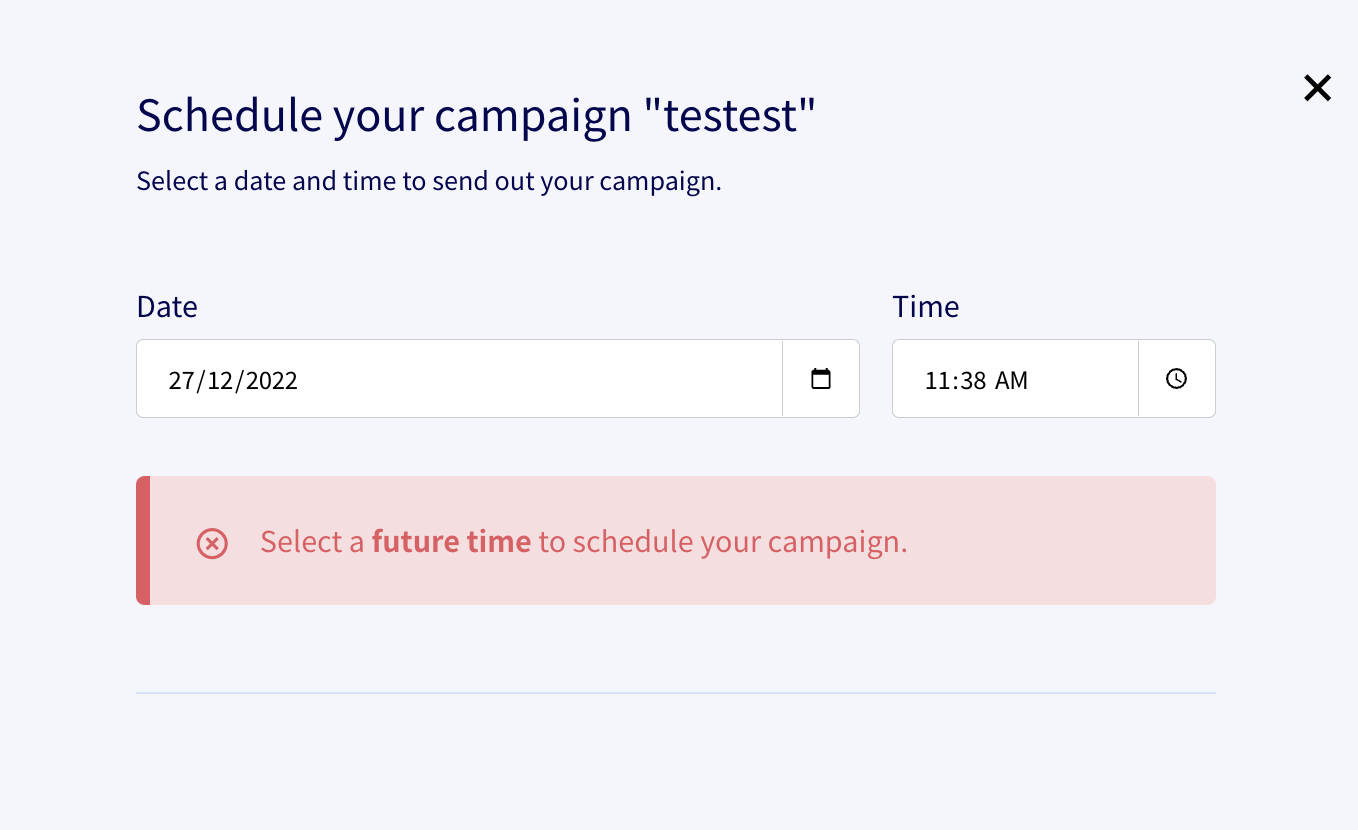
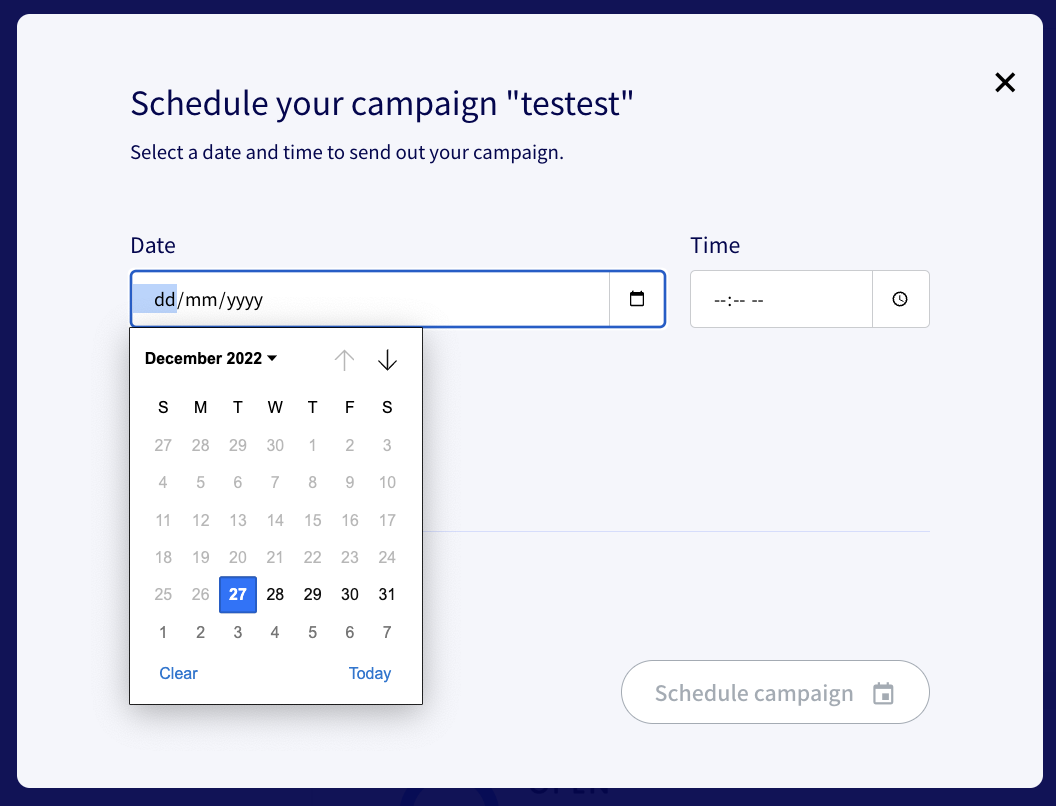
Select your desired date (day, month, year) and time (hour, minute, AM/PM) by clicking on the icons or typing into the relevant section. Make sure to select a *future* date and time. Then, click `Schedule Campaign`.

<figure><img src="https://4126954886-files.gitbook.io/~/files/v0/b/gitbook-x-prod.appspot.com/o/spaces%2F-MAQH3DF49Lq0AJudrbF%2Fuploads%2Fgit-blob-5e90903ae35e908a7dc8a40a119accea2395a0db%2FScreenshot%202022-12-27%20at%2011.30.42%20AM.png?alt=media" alt=""><figcaption><p>Schedule your preferred date</p></figcaption></figure>

<figure><img src="https://4126954886-files.gitbook.io/~/files/v0/b/gitbook-x-prod.appspot.com/o/spaces%2F-MAQH3DF49Lq0AJudrbF%2Fuploads%2Fgit-blob-f135812429e8847a199f6403e8d545b75607db30%2FScreenshot%202022-12-27%20at%2011.30.55%20AM.png?alt=media" alt=""><figcaption><p>Schedule your preferred time</p></figcaption></figure>

Note: scheduling for a past time and date will not be allowed.

<figure><img src="https://4126954886-files.gitbook.io/~/files/v0/b/gitbook-x-prod.appspot.com/o/spaces%2F-MAQH3DF49Lq0AJudrbF%2Fuploads%2Fgit-blob-71952efb23813f4a94ebf0075cb0d9808cf51728%2FScreenshot%202022-12-27%20at%2011.40.08%20AM.png?alt=media" alt=""><figcaption></figcaption></figure>

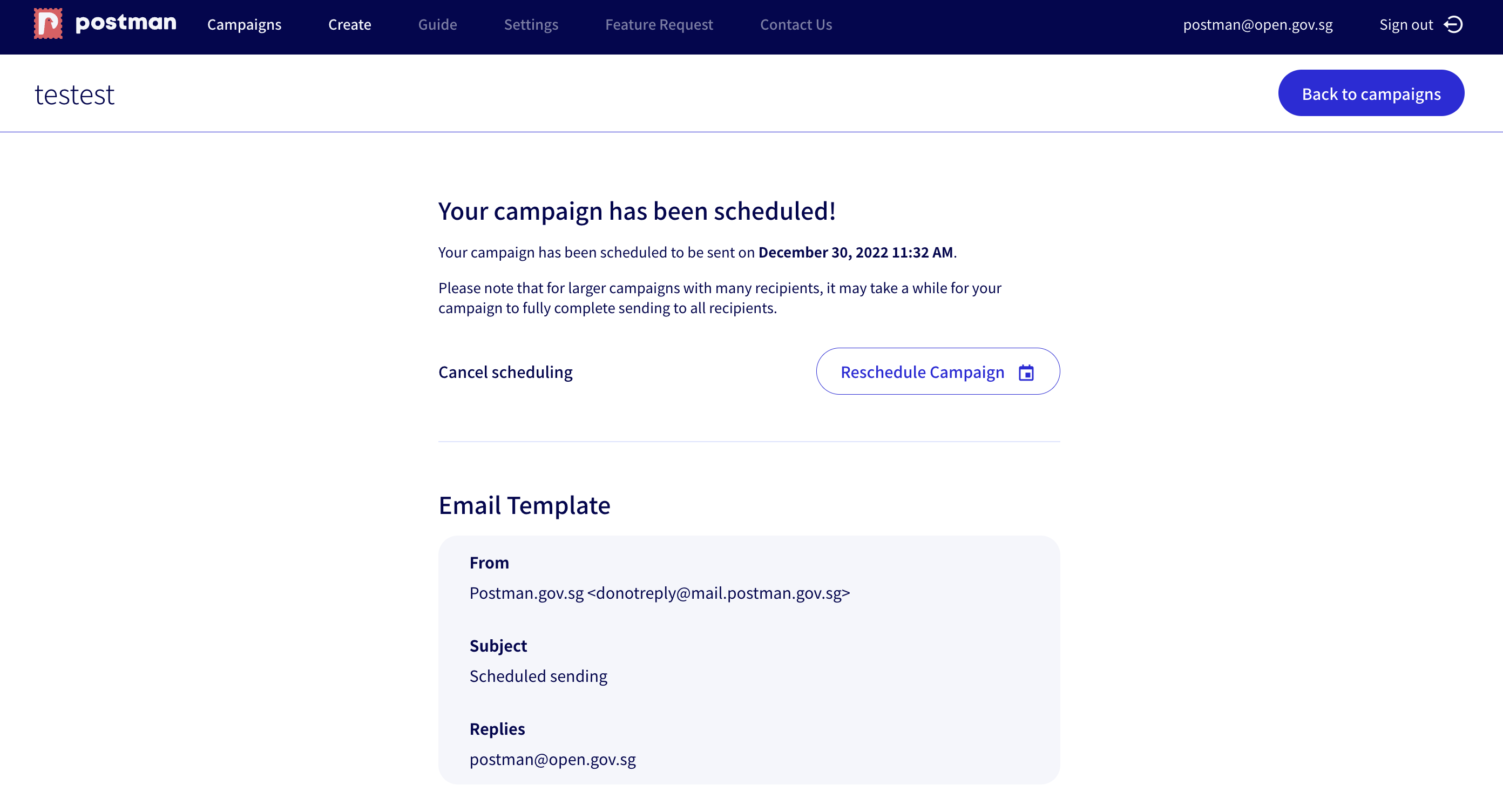
You will be brought to your campaign preview dashboard, where you can view your scheduled date, time, and schedule details, as well as your email preview.

<figure><img src="https://4126954886-files.gitbook.io/~/files/v0/b/gitbook-x-prod.appspot.com/o/spaces%2F-MAQH3DF49Lq0AJudrbF%2Fuploads%2Fgit-blob-0cc6efd27184666f6bc9d219e5246c5b623ef2dc%2FScreenshot%202022-12-27%20at%2011.32.23%20AM.png?alt=media" alt=""><figcaption><p>Campaign preview dashboard</p></figcaption></figure>

### Can I reschedule a campaign?

Yes! On your scheduled campaign's dashboard, simply click on the `Reschedule campaign` button. Then, repeat the steps above to reschedule.

![](https://4126954886-files.gitbook.io/~/files/v0/b/gitbook-x-prod.appspot.com/o/spaces%2F-MAQH3DF49Lq0AJudrbF%2Fuploads%2FUYlRWs0w1VzCRDDAVSw6%2Fschedule-campaign.png?alt=media\&token=01b30ce5-79a7-4ae1-a636-781f880bacb4)

### Can I cancel a scheduled campaign?

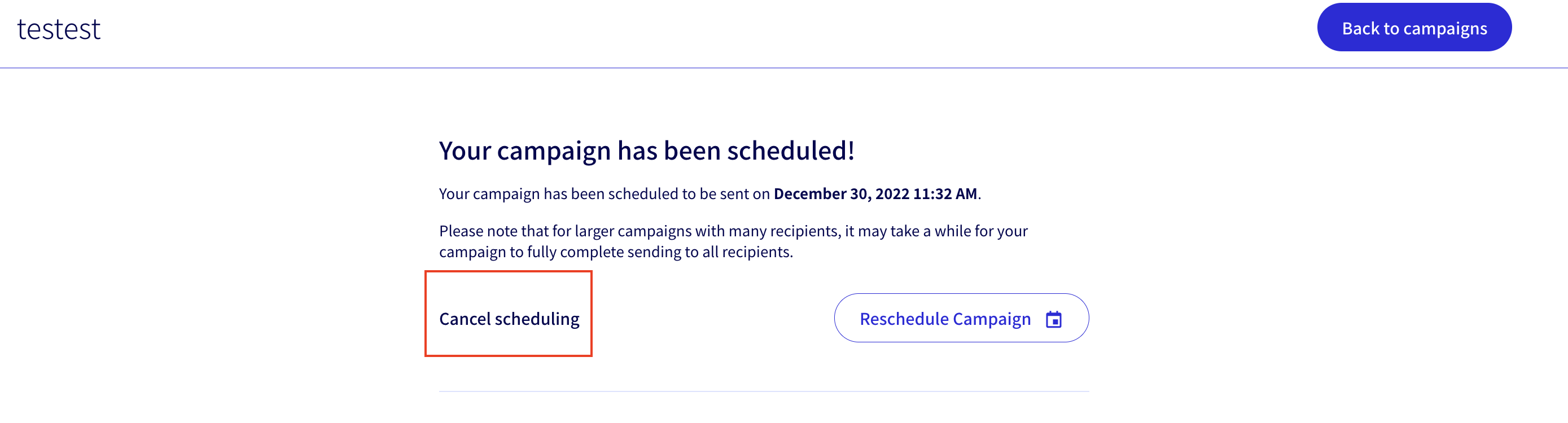
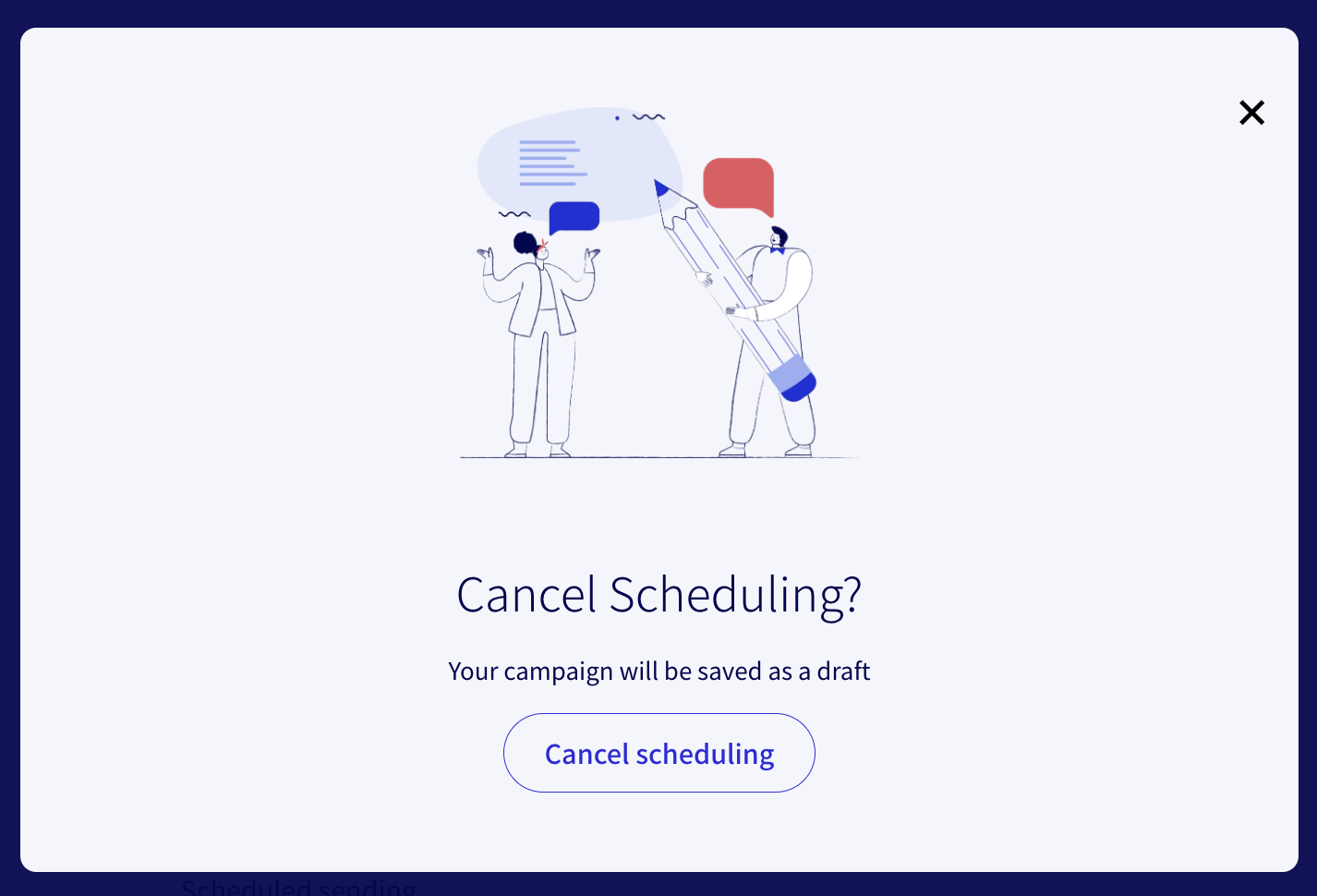
If you would like to cancel your scheduled campaign, again navigate to that campaign's dashboard, then click on the `Cancel scheduling` button. You will be asked to confirm the cancellation, and your campaign will then be saved as a draft for you to retrieve later.

<figure><img src="https://4126954886-files.gitbook.io/~/files/v0/b/gitbook-x-prod.appspot.com/o/spaces%2F-MAQH3DF49Lq0AJudrbF%2Fuploads%2Fgit-blob-51334bbcb5d6863bbe6c48f74f827ea716c8deb9%2FScreenshot%202022-12-27%20at%2011.34.51%20AM.png?alt=media" alt=""><figcaption></figcaption></figure>

<figure><img src="https://4126954886-files.gitbook.io/~/files/v0/b/gitbook-x-prod.appspot.com/o/spaces%2F-MAQH3DF49Lq0AJudrbF%2Fuploads%2Fgit-blob-7440cc984c81e785fcf33f9d34e0d4a0c2c7f794%2FScreenshot%202022-12-27%20at%2011.35.28%20AM.png?alt=media" alt=""><figcaption></figcaption></figure>

### Where can I view my scheduled campaigns?

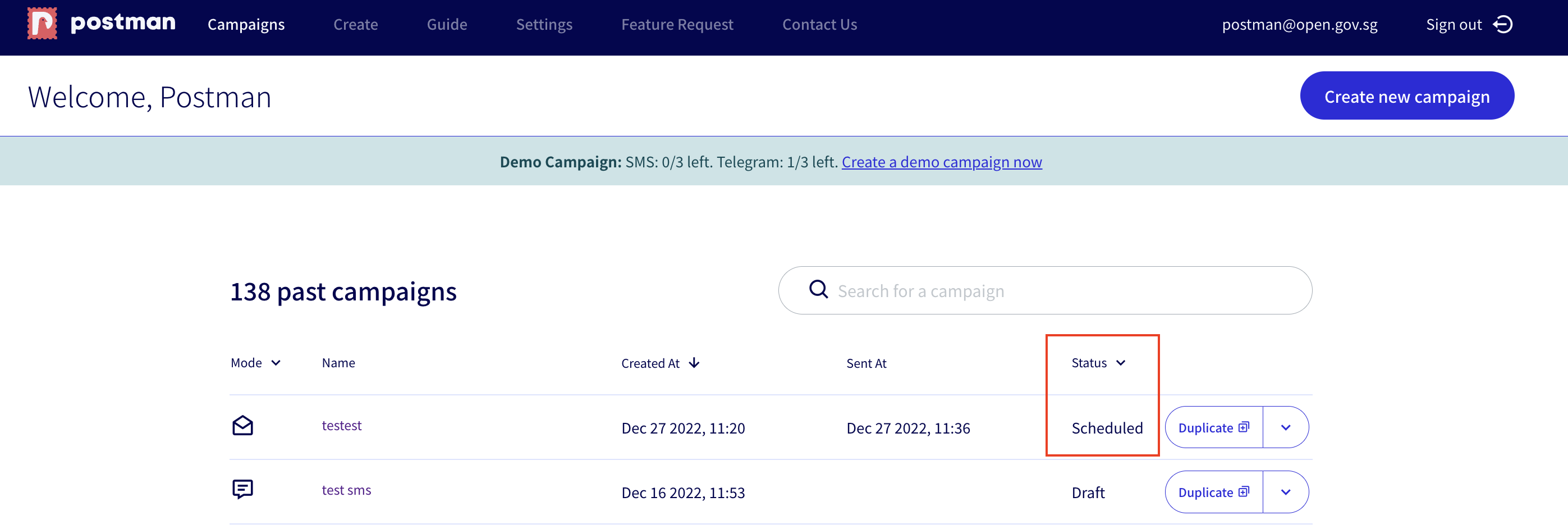
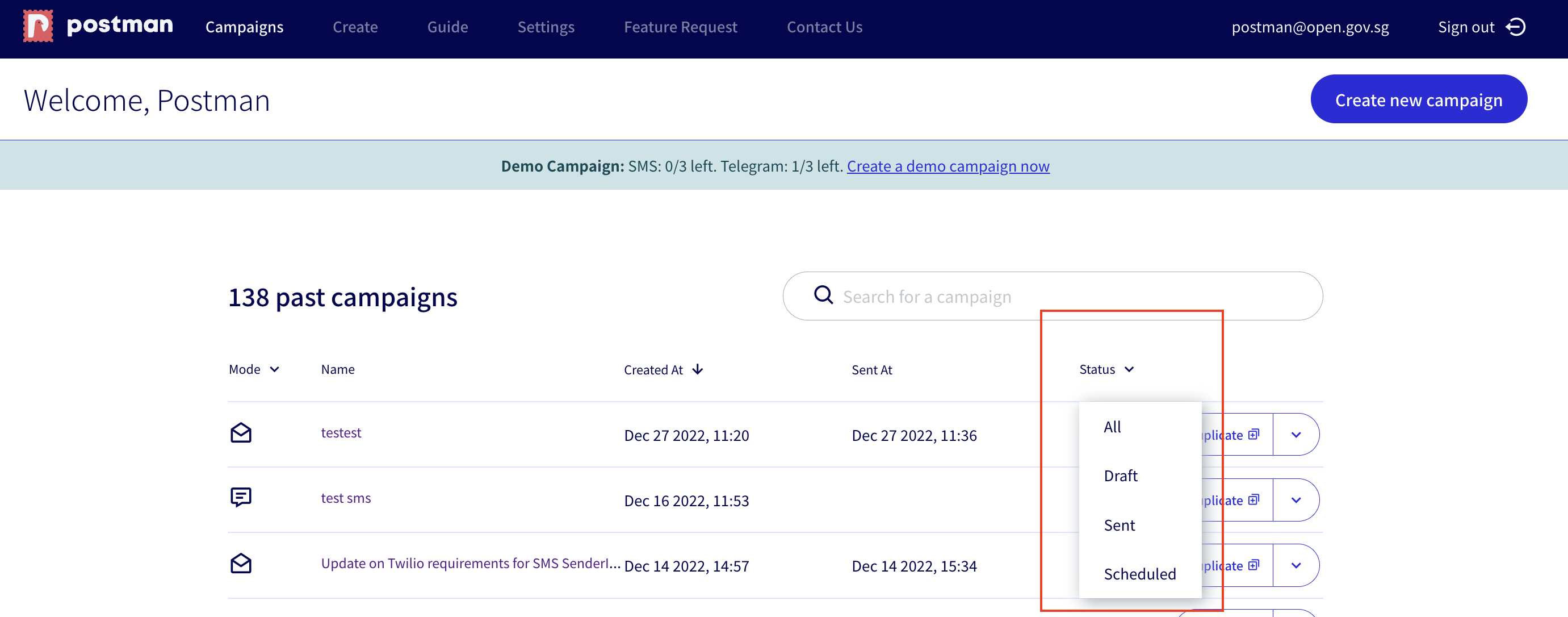
On your main campaigns dashboard, you'll see a history of campaigns that you sent in the past, as well as any drafts and scheduled campaigns. The status of your scheduled campaigns will be reflected as `Scheduled`. Filter for `Scheduled` if you have campaigns on multiple pages for easy access.

<figure><img src="https://4126954886-files.gitbook.io/~/files/v0/b/gitbook-x-prod.appspot.com/o/spaces%2F-MAQH3DF49Lq0AJudrbF%2Fuploads%2Fgit-blob-e0e286c86cd7ebdfea5b530e4b7bfa3d5c312fc1%2FScreenshot%202022-12-27%20at%2011.36.46%20AM.png?alt=media" alt=""><figcaption><p>Status of current campaigns</p></figcaption></figure>

<figure><img src="https://4126954886-files.gitbook.io/~/files/v0/b/gitbook-x-prod.appspot.com/o/spaces%2F-MAQH3DF49Lq0AJudrbF%2Fuploads%2Fgit-blob-c9d222b7d3c14b1c6cd2ebe4f023ff882f58a31c%2FScreenshot%202022-12-27%20at%2011.37.48%20AM.png?alt=media" alt=""><figcaption><p>Use the filter to access your scheduled campaigns at one glance</p></figcaption></figure>

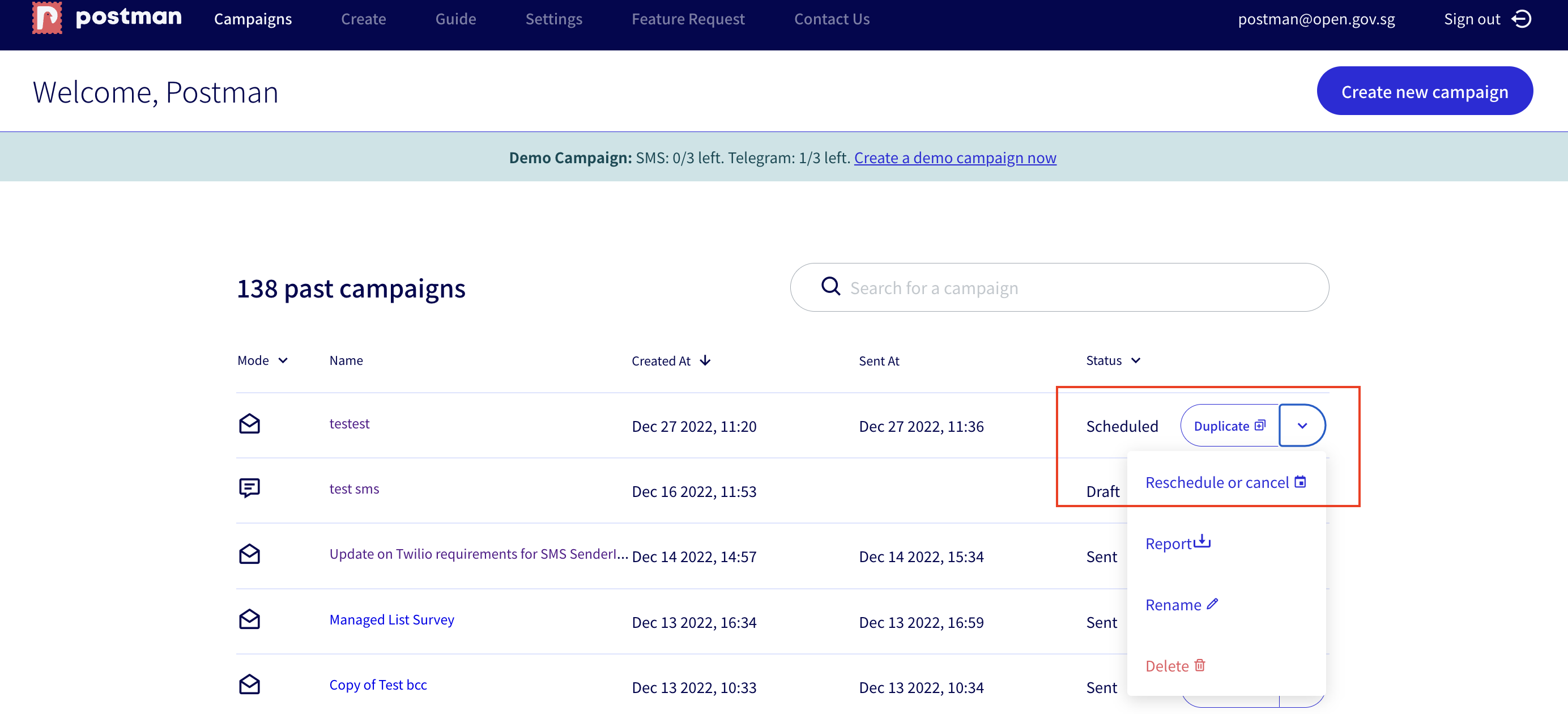
On this page, you can also click on the drop-down button beside the `Duplicate` bar to `reschedule or cancel` your campaign.

<figure><img src="https://4126954886-files.gitbook.io/~/files/v0/b/gitbook-x-prod.appspot.com/o/spaces%2F-MAQH3DF49Lq0AJudrbF%2Fuploads%2Fgit-blob-5ded1bd21bcbaf3cfaa3e37da00d1224493d8539%2FScreenshot%202022-12-27%20at%2011.38.35%20AM.png?alt=media" alt=""><figcaption><p>Reschedule or cancel from the campaign dashboard</p></figcaption></figure>

### How will I know when my campaign has been sent?

Aside from viewing the status of your campaign on your dashboard, you will also receive an email from Postman informing you that your campaign has been sent.

<figure><img src="https://4126954886-files.gitbook.io/~/files/v0/b/gitbook-x-prod.appspot.com/o/spaces%2F-MAQH3DF49Lq0AJudrbF%2Fuploads%2FmvEISjcQZKD6ugfdf2no%2Fsuccessfully-sent-scheduled.png?alt=media&#x26;token=575ff59b-b732-4ebf-9ef5-6c1dcda127ad" alt=""><figcaption></figcaption></figure>